
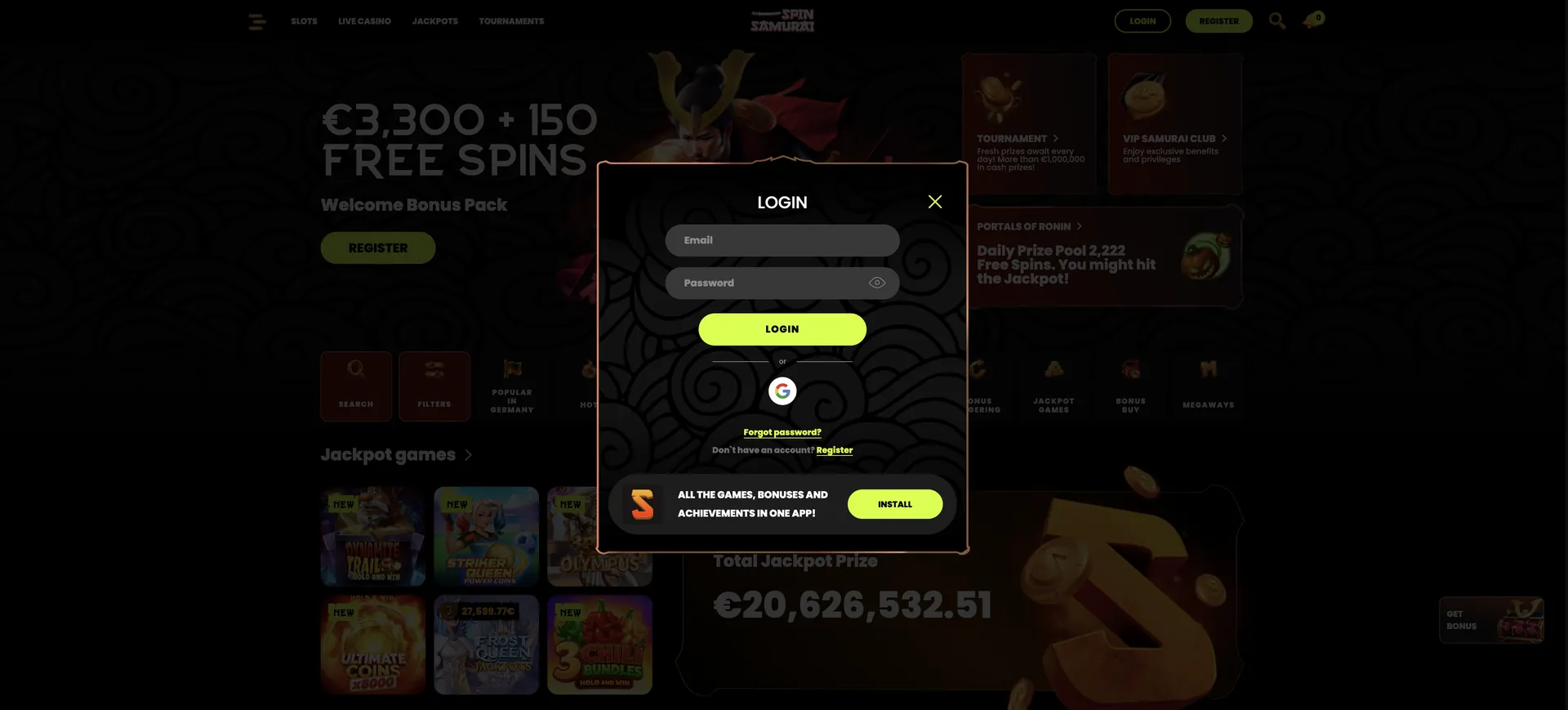
Account recovery should preserve the original profile. The casino permits one account per person, so a forgotten password or a blocked session should not lead to another registration. Before entering credentials, check the destination against the casino address, spinsamuraii-au.com, and avoid sending passwords through a support enquiry.
| Parameter | Value | Note |
|---|---|---|
| Access point | Casino account sign-in form | Use the existing profile |
| Registration credentials | Email and password | Follow the identifier requested by the login form |
| Password recovery | Available | Use the casino's recovery process |
| Mobile access | Browser and native app | Confirm the device-specific app route |
| Minimum age | 18 | Age confirmation forms part of registration |
| Account allowance | One per person | Recover rather than duplicate an account |
| Identity checks | Before the first withdrawal | Photo ID, address and payment evidence |
| Support email | [email protected] | Do not include passwords |
Spinsamurai Casino Login: opening the existing account
One account is the starting point for access across devices. Registration, password recovery and ordinary sign-in serve different purposes, so the form should match the task. The full casino profile provides the operator, promotion and payment context behind the account.
A controlled sign-in sequence
The useful checks are the destination, the account identifier and the result of the submitted request. Repeated submissions before the first response make it harder to identify what has happened.
- Open the casino website independently and check its address.
- Open the account sign-in form rather than the registration form.
- Enter the identifier requested for the existing profile.
- Enter the current password, checking keyboard case and unintended spaces.
- Submit the form and read any account message before trying again.
- Use password recovery or support if the same problem persists.
A successful sign-in and a completed identity check are separate milestones. Access to the account does not establish that every withdrawal condition has been satisfied. Equally, a KYC request should not be interpreted as evidence that the login credentials are wrong.
Account conditions that affect access
The minimum age is 18, and only one account per person is permitted. Inactivity begins after 12 months under the stated account conditions, with a fee equivalent to approximately AUD 43.75. The charge's application should be checked in the account terms before assuming what activity prevents it.
Australian readers should distinguish the operator's accepted-country rules from local regulatory authorisation. Changing the device or opening a different access route does not resolve an eligibility restriction. If the account is restricted, support should clarify its status before further attempts are made.
Creating a profile when no account exists
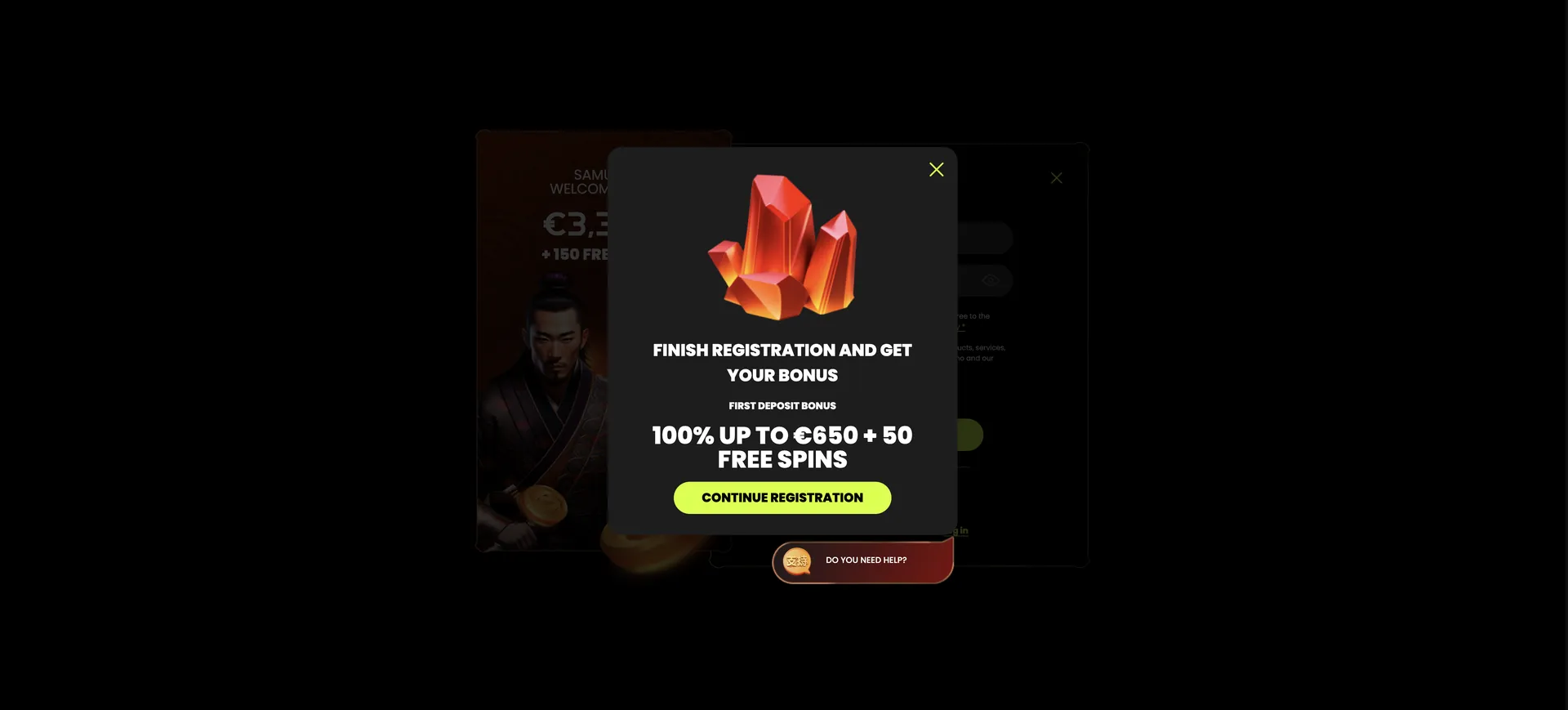
Registration is relevant only when the person has no existing account and meets the eligibility rules. The form includes email, password, age confirmation, acceptance of terms, marketing preferences and a bonus-code field.
Registration details to check
Accurate information makes later recovery and verification easier to connect to the correct account. Marketing consent and acceptance of terms should be considered separately.
- Enter an email address controlled by the applicant.
- Create a password used only for this account.
- Complete the age and terms confirmations accurately.
- Choose the desired marketing preferences.
- Use the bonus-code field only when the code and its conditions are established.
- Check the details before submitting the registration.
If an email address or another detail was entered incorrectly, support should help resolve that original profile. Starting again with a different address can create an account-rule problem without fixing the first record.
Spinsamurai Casino Login: password recovery
Password recovery is available for an existing account. The recovery route should begin from the casino itself so that a search result, advertisement or unexpected message does not determine where the account details are entered.
Recovering access without a second profile
The recovery process should be followed in the order presented. Support can clarify the next step when the process cannot identify the account or the registered contact route is no longer accessible.
- Open the recovery option associated with the sign-in form.
- Supply the account information requested by that process.
- Follow the resulting instructions through the registered contact route.
- Set a replacement password if the process authorises that change.
- Return to the sign-in form and use the updated credentials.
A support enquiry can describe that recovery failed without disclosing the old password, a new password or a recovery secret. If access to the registered email has also been lost, explain that issue directly so it is not mistaken for a routine password typo.

Diagnosing the failure before repeating it
Login problems are easier to resolve when the symptom is separated from the assumed cause. An incorrect-credentials message, an unresponsive form and a restricted-account notice call for different next steps.
| Symptom | Useful check | Next action |
|---|---|---|
| Credentials rejected | Identifier, keyboard case, spaces and saved password | Use recovery if the current password remains uncertain |
| Form does not respond | Connection and whether the browser has loaded the page | Reload carefully or try an updated browser |
| Old details reappear | Autofill entry associated with the account | Correct the saved entry rather than creating another profile |
| Account restriction message | Exact wording and any requested action | Ask support about the existing account's status |
Clearing site data can remove an old session, but it can also sign the account out. Record the issue and confirm that the current credentials are available before changing browser data. A browser diagnostic should not involve disabling device security or ignoring warnings about an unfamiliar destination.
Mobile sessions and account protection
Browser and native-app access use the same account identity. The separate mobile access options explain how to distinguish a website shortcut from a native application and where to confirm the appropriate route for a device.
On a shared phone, tablet or computer, sign out after the session and keep the device locked when unattended. Saved credentials should not expose the account to other device users. Switching devices should also be kept separate from changing account details or creating a new registration.
If access is lost during a payment, check the transaction history once the session is restored before repeating the instruction. A failed connection does not by itself establish whether the original payment request was accepted.
Verification and activity after sign-in
Before the first withdrawal, KYC requires government-issued photo ID, proof of address and evidence of the payment method. Video verification is also available. The stated document deadline is 30 days, and verification processing is two weeks.
The first-withdrawal verification requirements explain why this process is separate from the casino's payment timing. Documents should be submitted only through a route confirmed by the casino; a general login-help message does not need to contain a complete identity file.
Once access is restored, the relevant account tasks can include checking payment history, examining an active promotion, confirming verification requests and setting spending or session limits. The location and wording of those functions should be taken from the current account interface.
FAQ
These answers distinguish access recovery from account eligibility, payment conditions and verification.
Where should a Spinsamurai Casino Login attempt begin?
Begin with the account sign-in form on the casino website. Check the address independently and use the credentials requested for the existing account.
Can a second account replace a forgotten password?
No. The casino permits one account per person. Password recovery or support should be used to restore the original profile.
Can someone under 18 register?
No. Registration is restricted to people aged 18 or over, and age confirmation forms part of the process.
Does the 12-month inactivity rule concern login?
It concerns account inactivity and an associated fee equivalent to AUD 43.75. The account terms should establish how inactivity is measured; a particular action should not be assumed to reset it.
Does logging in complete the two-week KYC process?
No. Sign-in and identity verification are separate. KYC requires the requested evidence before the first withdrawal and has its own stated processing period.
Can [email protected] help with access problems?
Yes, it is the listed support email. Describe the problem and any error message, but leave passwords and recovery secrets out of the enquiry.
Is browser access available without using the native app?
Yes. Mobile-browser access is available alongside the native app. The existing account should be used for either route.
Updated on 28 October 2026.